Saturday, 3 February 2018

MVC in Servelts & JSP

MVC


1.    Controller
       - LoginServlet
2.   Business service
       - Authentication service

3.  Model

     - Authentication result

4.  View
      - Greeting Page
      - Login page


------------------------------------------------


1st Login page


2nd create servlet to capture the user name and password


3rd Business service - for authentication create simple java class


4th  call business service in servlet

5th now redirect to login.jsp or success.jsp based on result

6th  we need to redirect by telling the browser to redirect to  success.jsp
       we need to send to instruction to browser

7th get user details in LoginService and LoginServlet

8th Access the user details in success.jsp

------------------------------------


dto  data transfer object

we used the word model before
it is same as model

dto.User is used to transfer the data bw the layers .... LoginServlet , LoginService, success.jsp

to transfer datat b/w .   Servlet, business service , jsp


------------------------------------


login.jsp

<%@ page language="java" contentType="text/html; charset=UTF-8"
    pageEncoding="UTF-8"%>
<!DOCTYPE html PUBLIC "-//W3C//DTD HTML 4.01 Transitional//EN" "http://www.w3.org/TR/html4/loose.dtd">
<html>
<head>
<meta http-equiv="Content-Type" content="text/html; charset=UTF-8">
<title>Login Page</title>
</head>
<body>

<form action="login" method="post" >
UserName: <input type="text" name="userId"> <br>
Password: <input type="password" name="password"/> <br>
<input type="submit"/>

</form>


</body>

</html>


------------------------------------
LoginServlet.java

package org.srini.java;

import java.io.IOException;
import javax.servlet.ServletException;
import javax.servlet.annotation.WebServlet;
import javax.servlet.http.HttpServlet;
import javax.servlet.http.HttpServletRequest;
import javax.servlet.http.HttpServletResponse;

import org.srini.java.service.LoginService;

/**
 * Servlet implementation class LoginServlet
 */
@WebServlet("/login")
public class LoginServlet extends HttpServlet {
private static final long serialVersionUID = 1L;

/**
* @see HttpServlet#doPost(HttpServletRequest request, HttpServletResponse response)
*/
protected void doPost(HttpServletRequest request, HttpServletResponse response) throws ServletException, IOException {
String userId,password;
userId= request.getParameter("userId");
password= request.getParameter("password");

LoginService loginService=new LoginService();
boolean result= loginService.authenticate(userId, password);
 
 
if(result) {
response.sendRedirect("success.jsp");
return;
}
else {
response.sendRedirect("login.jsp");
return;
}
 
 
}

}


------------------------------------
LoginService.java

package org.srini.java.service;

public class LoginService {

public boolean authenticate(String userId, String password) {
if(password==null || password.trim()=="") {
return false;
}
    return true;
}
}


------------------------------------
success.jsp

<%@ page language="java" contentType="text/html; charset=UTF-8"
    pageEncoding="UTF-8"%>
<!DOCTYPE html PUBLIC "-//W3C//DTD HTML 4.01 Transitional//EN" "http://www.w3.org/TR/html4/loose.dtd">
<html>
<head>
<meta http-equiv="Content-Type" content="text/html; charset=UTF-8">
<title>Success</title>
</head>
<body>
<h3> Login successful...!!</h3>

</body>
</html>


------------------------------------
http://localhost:8080/LoginApp/login.jsp

------------------------------------
------------------------------------
------------------------------------
------------------------------------

login.jsp


<%@ page language="java" contentType="text/html; charset=UTF-8"
    pageEncoding="UTF-8"%>
<!DOCTYPE html PUBLIC "-//W3C//DTD HTML 4.01 Transitional//EN" "http://www.w3.org/TR/html4/loose.dtd">
<html>
<head>
<meta http-equiv="Content-Type" content="text/html; charset=UTF-8">
<title>Login Page</title>
</head>
<body>

<form action="login" method="post" >
UserName: <input type="text" name="userId"> <br>
Password: <input type="password" name="password"/> <br>
<input type="submit"/>

</form>


</body>

</html>

------------------------------------
LoginServlet.java

package org.srini.java;

import java.io.IOException;
import javax.servlet.ServletException;
import javax.servlet.annotation.WebServlet;
import javax.servlet.http.HttpServlet;
import javax.servlet.http.HttpServletRequest;
import javax.servlet.http.HttpServletResponse;

import org.srini.java.dto.User;
import org.srini.java.service.LoginService;

/**
 * Servlet implementation class LoginServlet
 */
@WebServlet("/login")
public class LoginServlet extends HttpServlet {
private static final long serialVersionUID = 1L;

/**
* @see HttpServlet#doPost(HttpServletRequest request, HttpServletResponse response)
*/
protected void doPost(HttpServletRequest request, HttpServletResponse response) throws ServletException, IOException {

String userId,password;
userId= request.getParameter("userId");
password= request.getParameter("password");


LoginService loginService=new LoginService();
boolean result= loginService.authenticate(userId, password);
 
 
if(result) {
 
User user=loginService.getUserDetails(userId);
 
request.getSession().setAttribute("user",user);
response.sendRedirect("success.jsp");
return;
}
else {
response.sendRedirect("login.jsp");
return;
}
 
 
}


}


------------------------------------
LoginService.java

package org.srini.java.service;

import java.util.HashMap;

import org.srini.java.dto.User;

public class LoginService {

HashMap<String,String> users =new HashMap<String,String>();
public LoginService() {
users.put("user1", "abc");
users.put("user2", "pqr");
users.put("user3", "xyz");
}
public boolean authenticate(String userId, String password) {
if(password==null || password.trim()=="") {
return false;
}
    return true;
}
public User getUserDetails(String userId) {
User user=new User();
user.setUserName(users.get(userId));
user.setUserId(userId);
return user;
}

}

------------------------------------
User.java


package org.srini.java.dto;

public class User {

private String userName;
private String userId;
public String getUserName() {
return userName;
}
public void setUserName(String userName) {
this.userName = userName;
}
public String getUserId() {
return userId;
}
public void setUserId(String userId) {
this.userId = userId;
}

}

------------------------------------
Success.jsp


<%@ page language="java" contentType="text/html; charset=UTF-8"
    pageEncoding="UTF-8" import="org.srini.java.dto.User"%>
<!DOCTYPE html PUBLIC "-//W3C//DTD HTML 4.01 Transitional//EN" "http://www.w3.org/TR/html4/loose.dtd">
<html>
<head>
<meta http-equiv="Content-Type" content="text/html; charset=UTF-8">
<title>Success</title>
</head>
<body>
<h3> Login successful...!!</h3>

<%
User user =(User)session.getAttribute("user");

%>

Hello , <%=user.getUserName() %> !
</body>

</html>


------------------------------------

request.dispatcher()

Dispatcher is used to transfer the control to success.jsp...path that mentioned

2nd way passing control from servlet to jsp


------------------------------------
LoginServlet.java

package org.srini.java;

import java.io.IOException;

import javax.servlet.RequestDispatcher;
import javax.servlet.ServletException;
import javax.servlet.annotation.WebServlet;
import javax.servlet.http.HttpServlet;
import javax.servlet.http.HttpServletRequest;
import javax.servlet.http.HttpServletResponse;

import org.srini.java.dto.User;
import org.srini.java.service.LoginService;

/**
 * Servlet implementation class LoginServlet
 */
@WebServlet("/login")
public class LoginServlet extends HttpServlet {
private static final long serialVersionUID = 1L;

/**
* @see HttpServlet#doPost(HttpServletRequest request, HttpServletResponse response)
*/
protected void doPost(HttpServletRequest request, HttpServletResponse response) throws ServletException, IOException {
String userId,password;
userId= request.getParameter("userId");
password= request.getParameter("password");

LoginService loginService=new LoginService();
boolean result= loginService.authenticate(userId, password);
 
 
if(result) {
 
User user=loginService.getUserDetails(userId);
 
  //request.getSession().setAttribute("user",user);
//response.sendRedirect("success.jsp");
  request.setAttribute("user",user);
 
RequestDispatcher dispatcher=request.getRequestDispatcher("success.jsp");
dispatcher.forward(request, response);
return;
}
else {
response.sendRedirect("login.jsp");
return;
}
 
 
}


}


------------------------------------
success.jsp

<%@ page language="java" contentType="text/html; charset=UTF-8"
    pageEncoding="UTF-8" import="org.srini.java.dto.User"%>
<!DOCTYPE html PUBLIC "-//W3C//DTD HTML 4.01 Transitional//EN" "http://www.w3.org/TR/html4/loose.dtd">
<html>
<head>
<meta http-equiv="Content-Type" content="text/html; charset=UTF-8">
<title>Success</title>
</head>
<body>
<h3> Login successful...!!</h3>

<%
//User user =(User)session.getAttribute("user");
   User user = (User)request.getAttribute("user");
%>

Hello , <%=user.getUserName() %> !
</body>

</html>
------------------------------------
------------------------------------
------------------------------------
------------------------------------
------------------------------------

JSTL and Bean tag


we started writing jsp because it was pain to write all html code inside servlet

put each html code inside println method

thats why we started writing jsps


we can have html page and java code in between

it works for simple html and simple jsps


if code increases its hard to maintain

inside jsp is not pure xml

all the code iside script blocks are not xml


in order to have proper xml format in order to maintain more maintainable


that's why JSTL


JSTL helps to write all the java code as XML

Advantage 

maintainance


If we take jsp ..lot of view logic involved there

probably

stylesheets
view control
alignment data


it has data about how to present page to user


JSTL --  jsp standard tag library


need to tell where to pull the id from class and what is it's scope


<jsp:


------------------------------------

<jsp:useBean id="user" class="org.srini.java.dto.User" scope="request"></jsp:useBean>

==
 User user = (User)request.getAttribute("user");


------------------------------------

success.jsp


<%@ page language="java" contentType="text/html; charset=UTF-8"
    pageEncoding="UTF-8" import="org.srini.java.dto.User"%>
<!DOCTYPE html PUBLIC "-//W3C//DTD HTML 4.01 Transitional//EN" "http://www.w3.org/TR/html4/loose.dtd">
<html>
<head>
<meta http-equiv="Content-Type" content="text/html; charset=UTF-8">
<title>Success</title>
</head>
<body>
<h3> Login successful...!!</h3>

<!--  
<%
//User user =(User)session.getAttribute("user");
  // User user = (User)request.getAttribute("user");
%>
-->


<jsp:useBean id="user" class="org.srini.java.dto.User" scope="request"></jsp:useBean>


Hello , <%=user.getUserName() %> !
</body>

</html>


------------------------------------


Hello , <%=user.getUserName() %> !


Hello, <jsp:getProperty property="userName" name="user"/>


------------------------------------

success.jsp


<%@ page language="java" contentType="text/html; charset=UTF-8"
    pageEncoding="UTF-8" import="org.srini.java.dto.User"%>
<!DOCTYPE html PUBLIC "-//W3C//DTD HTML 4.01 Transitional//EN" "http://www.w3.org/TR/html4/loose.dtd">
<html>
<head>
<meta http-equiv="Content-Type" content="text/html; charset=UTF-8">
<title>Success</title>
</head>
<body>
<h3> Login successful...!!</h3>

<!--  
<%
//User user =(User)session.getAttribute("user");
  // User user = (User)request.getAttribute("user");
%>
-->


<jsp:useBean id="user" class="org.srini.java.dto.User" scope="request">

<jsp:setProperty property="userName" name="user" value="NewUser"/>
</jsp:useBean>


Hello , <%=user.getUserName() %> !

Hello, <jsp:getProperty property="userName" name="user"/>
</body>

</html>


------------------------------------


Request Parameters with the setProperty tag


------------------------------------

------------------------------------


Friday, 2 February 2018

Servlets & JSP


Creating  Dynamic Web project and deploying in tomcat


New > other > web > Dynamic web project >

Project Name : MyWebapplication

Next  src > next

Context Root : My webapplication
Content directory: Webcontent  -> here .jsp, html files need to place here

check mark -> Generate web.xml deployment descriptor(web.xml)


----------------------------------------------------------------------------------------------------


window > show view >  navigator


expand project >  webcontent > web-inf  > web.xml
click source view


Now goto

select webcontent  > new > other > web  > html file  > next  > index.html > finish


write inside body


<h3>Welcome to HTML <h3>


then save


---------------------------------------------------------------------------

select project > Run As  > Run on server > next  > finish


---------------------------------------------------------------------------


XmlServlet.java

package org.srini.java;

import java.io.IOException;
import java.io.PrintWriter;

import javax.servlet.ServletException;
import javax.servlet.http.HttpServlet;
import javax.servlet.http.HttpServletRequest;
import javax.servlet.http.HttpServletResponse;

public class XmlServlet extends HttpServlet {

protected void doGet(HttpServletRequest request, HttpServletResponse response) throws ServletException,IOException{

//System.out.println("xml servlet created");

     response.setContentType("text/html");
     PrintWriter out=response.getWriter();
     String userName= request.getParameter("userName");
     out.println("hello from GET method"+userName);
   

}
protected void doPost(HttpServletRequest request, HttpServletResponse response) throws ServletException,IOException{

//System.out.println("xml servlet created");

     response.setContentType("text/html");
     PrintWriter out=response.getWriter();
     String userName= request.getParameter("userName");
     String fullName= request.getParameter("fullName");
     out.println("hello from POsT method "+userName +" your full name:  "+fullName);
     String prof=request.getParameter("prof");
     out.println("You are a "+prof);
     //String location=request.getParameter("location");
     String[] location=request.getParameterValues("location");
     out.println("\nyour location is 1: "+location[0]);
     out.println("\nyour location is 2: "+location[1]);
   

}

}


------------------------------------------------------------------------------------------------------------
web.xml


<?xml version="1.0" encoding="UTF-8"?>
<web-app xmlns:xsi="http://www.w3.org/2001/XMLSchema-instance" xmlns="http://java.sun.com/xml/ns/javaee" xmlns:web="http://java.sun.com/xml/ns/javaee/web-app_2_5.xsd" xsi:schemaLocation="http://java.sun.com/xml/ns/javaee http://java.sun.com/xml/ns/javaee/web-app_3_0.xsd" id="WebApp_ID" version="3.0">
  <display-name>SimpleServletProject</display-name>
  <welcome-file-list>
    <welcome-file>index.html</welcome-file>
  </welcome-file-list>
  
  
  <servlet>
   <servlet-name>xmlServlet</servlet-name>
   <servlet-class>org.srini.java.XmlServlet</servlet-class>
  </servlet>
  
  <servlet-mapping>
  <servlet-name>xmlServlet</servlet-name>
  <url-pattern>/XmlSerlvetPath</url-pattern>
  </servlet-mapping>

</web-app>


------------------------------------------------------------------------------------------------------------
http://localhost:8080/ServletTest/XmlSerlvetPath?userName=Srinivas

------------------------------------------------------------------------------------------------------------
index.html


<!DOCTYPE html PUBLIC "-//W3C//DTD HTML 4.01 Transitional//EN" "http://www.w3.org/TR/html4/loose.dtd">
<html>
<head>
<meta http-equiv="Content-Type" content="text/html; charset=ISO-8859-1">
<title>This is title</title>
</head>

<body>
 <h3>this is body</h3>
</body>

</html>

------------------------------------------------------------------------------------------------------------
simpleForm.html


<!DOCTYPE html PUBLIC "-//W3C//DTD HTML 4.01 Transitional//EN" "http://www.w3.org/TR/html4/loose.dtd">
<html>
<head>
<meta http-equiv="Content-Type" content="text/html; charset=ISO-8859-1">
<title>Testing Post</title>

</head>
<body>

   <form method="post" action="XmlSerlvetPath">
       User Name: <input name="userName"/>
       Full Name: <input name="fullName"/>
       <br>
       Profession: 
       <input type="radio" name="prof" value="srini Developer">Developer</input>
       <input type="radio" name="prof" value="srini Architect">Architect</input>
       <select name="location" multiple size=3>
           <option value="here">here</option>
           <option value="there">there</option>
           <option value="far">far</option>
           <option value="near">near</option>
       
       </select>
       
       <input type="submit"/>
   </form>

</body>

</html>c
http://localhost:8080/ServletTest/SimpleForm.html

------------------------------------------------------------------------------------------------------------
Test.jsp

package com.jsp.java;

import java.io.IOException;
import java.io.PrintWriter;

import javax.servlet.ServletException;
import javax.servlet.annotation.WebServlet;
import javax.servlet.http.HttpServlet;
import javax.servlet.http.HttpServletRequest;
import javax.servlet.http.HttpServletResponse;

/**
 * Servlet implementation class TestJsp
 */
@WebServlet("/TestJspPath")
public class TestJsp extends HttpServlet {
private static final long serialVersionUID = 1L;

/**
* @see HttpServlet#doGet(HttpServletRequest request, HttpServletResponse response)
*/
protected void doGet(HttpServletRequest request, HttpServletResponse response) throws ServletException, IOException {
// TODO Auto-generated method stub
PrintWriter out=response.getWriter();
String userName=request.getParameter("userName");
        out.println("Hello ,"+userName);


}
}


------------------------------------------------------------------------------------------------------------
clock.jsp

<%@ page language="java" contentType="text/html; charset=UTF-8"
    pageEncoding="UTF-8" import="java.util.Date" %>
    
    <%@ include file="/hello.jsp"  %> <br>
<!DOCTYPE html PUBLIC "-//W3C//DTD HTML 4.01 Transitional//EN" "http://www.w3.org/TR/html4/loose.dtd">
<html>
<head>
<meta http-equiv="Content-Type" content="text/html; charset=UTF-8">
<title>clock</title>
</head>
<body>
The time is : <%=new Date() %>
</body>

</html>

------------------------------------------------------------------------------------------------------------
hello.jsp


Hello, Srini..!!!

------------------------------------------------------------------------------------------------------------
test.jsp


<%@ page language="java" contentType="text/html; charset=UTF-8"
    pageEncoding="UTF-8"%>
<!DOCTYPE html PUBLIC "-//W3C//DTD HTML 4.01 Transitional//EN" "http://www.w3.org/TR/html4/loose.dtd">
<html>
<head>
<meta http-equiv="Content-Type" content="text/html; charset=UTF-8">
<title>Title JSP</title>
</head>
<body>
 <h3>Testing JSP</h3>

 <%!
 public int add(int a,int b){
//System.out.println("result :"+ a+b);
return a+b;
 }

 %>

 <%
   int r=add(123,456);
   
 %>
 <br>
 The value of r is : <%=r %>

 <br>


 <%
  int i=1;
  int j=2;
  int k;
  k=i+j;
  add(i,j);
  
  //out.println(k);

 %>
 The value of k is :<%=k %>

</body>

</html>

------------------------------------------------------------------------------------------------------------
object.jsp

<%@ page language="java" contentType="text/html; charset=UTF-8"
    pageEncoding="UTF-8"%>
<!DOCTYPE html PUBLIC "-//W3C//DTD HTML 4.01 Transitional//EN" "http://www.w3.org/TR/html4/loose.dtd">
<html>
<head>
<meta http-equiv="Content-Type" content="text/html; charset=UTF-8">
<title>Insert title here</title>
</head>
<body>

<% 
String userName= request.getParameter("name");


if (userName !=null){
session.setAttribute("sessionUserName", userName);
application.setAttribute("applicationUserName", userName);
pageContext.setAttribute("pageContextUserName", userName);
}
//request
//session.getAttribute()
//application //context

%>
                                                <br>
The user name - request object is : <%=userName %>  <br>

The user name - session object is : <%= session.getAttribute("sessionUserName") %> <br>

The user name - application object is : <%=application.getAttribute("applicationUserName") %> <br>

The user name - page context object is : <%= pageContext.getAttribute("pageContextUserName") %>

</body>

</html>

------------------------------------------------------------------------------------------------------------
web.xml

<?xml version="1.0" encoding="UTF-8"?>
<web-app xmlns:xsi="http://www.w3.org/2001/XMLSchema-instance" xmlns="http://xmlns.jcp.org/xml/ns/javaee" xsi:schemaLocation="http://xmlns.jcp.org/xml/ns/javaee http://xmlns.jcp.org/xml/ns/javaee/web-app_3_1.xsd" id="WebApp_ID" version="3.1">
  <display-name>TestJSP</display-name>
  <welcome-file-list>
    <welcome-file>index.html</welcome-file>
    <welcome-file>index.htm</welcome-file>
    <welcome-file>index.jsp</welcome-file>
    <welcome-file>default.html</welcome-file>
    <welcome-file>default.htm</welcome-file>
    <welcome-file>default.jsp</welcome-file>
  </welcome-file-list>

</web-app>

------------------------------------------------------------------------------------------------------------
object.jsp

<%@ page language="java" contentType="text/html; charset=UTF-8"
    pageEncoding="UTF-8"%>
<!DOCTYPE html PUBLIC "-//W3C//DTD HTML 4.01 Transitional//EN" "http://www.w3.org/TR/html4/loose.dtd">
<html>
<head>
<meta http-equiv="Content-Type" content="text/html; charset=UTF-8">
<title>Insert title here</title>
</head>
<body>

<% 
String userName= request.getParameter("name");


if (userName !=null){
//session.setAttribute("sessionUserName", userName);
pageContext.setAttribute("sessionUserName", userName, pageContext.SESSION_SCOPE);
//application.setAttribute("applicationUserName", userName);
pageContext.setAttribute("applicationUserName", userName, pageContext.APPLICATION_SCOPE);
pageContext.setAttribute("pageContextUserName", userName);
pageContext.findAttribute("name");
}
//request
//session.getAttribute()
//application //context

%>
                                                <br>
The user name - request object is : <%=userName %>  <br>

The user name - session object is : <%= session.getAttribute("sessionUserName") %> <br>

The user name - application object is : <%=application.getAttribute("applicationUserName") %> <br>

The user name - page context object is : <%= pageContext.getAttribute("pageContextUserName") %>

</body>

</html>

------------------------------------------------------------------------------------------------------------

Init Parameters


initPage.jsp


<%@ page language="java" contentType="text/html; charset=UTF-8"
    pageEncoding="UTF-8"%>
<!DOCTYPE html PUBLIC "-//W3C//DTD HTML 4.01 Transitional//EN" "http://www.w3.org/TR/html4/loose.dtd">
<html>
<head>
<meta http-equiv="Content-Type" content="text/html; charset=UTF-8">
<title>Insert title here</title>
</head>
<body>

The default user from servlet config file is : 
<%=getServletConfig().getInitParameter("defaultUser") %>


</body>

</html>


------------------------------------------------------------------------------------------------------------
web.xml


<?xml version="1.0" encoding="UTF-8"?>
<web-app xmlns:xsi="http://www.w3.org/2001/XMLSchema-instance" xmlns="http://xmlns.jcp.org/xml/ns/javaee" xsi:schemaLocation="http://xmlns.jcp.org/xml/ns/javaee http://xmlns.jcp.org/xml/ns/javaee/web-app_3_1.xsd" id="WebApp_ID" version="3.1">
  <display-name>TestJSP</display-name>
  <welcome-file-list>
    <welcome-file>index.html</welcome-file>
  </welcome-file-list>
  
  
  <servlet>
 
  <servlet-name>InitJsp</servlet-name>
  <jsp-file>/initPage.jsp</jsp-file>
      
       <init-param>
        <param-name>defaultUser</param-name>
        <param-value>Srinivas</param-value>
       </init-param>
  
  
  </servlet>
  
  <servlet-mapping>
  <servlet-name>InitJsp</servlet-name>
  <url-pattern>/initPage.jsp</url-pattern>
  
  </servlet-mapping>


</web-app>


------------------------------------------------------------------------------------------------------------

http://localhost:8080/TestJSP/initPage.jsp
------------------------------------------------------------------------------------------------------------
initPage.jsp


<%@ page language="java" contentType="text/html; charset=UTF-8"
    pageEncoding="UTF-8"%>
<!DOCTYPE html PUBLIC "-//W3C//DTD HTML 4.01 Transitional//EN" "http://www.w3.org/TR/html4/loose.dtd">
<html>
<head>
<meta http-equiv="Content-Type" content="text/html; charset=UTF-8">
<title>Insert title here</title>
</head>
<body>

<%!
 public void jspInit(){
String defaultUser= getServletConfig().getInitParameter("defaultUser");
ServletContext context= getServletContext();
 
context.setAttribute("defaultUser", defaultUser);
}

%>


The default user from servlet config file is : 
<%=getServletConfig().getInitParameter("defaultUser") %>
<br>

 The default value servlet context is  <%=getServletContext().getAttribute("defaultUser") %>
<br>

The value in the servlet context is : <% getServletContext().getAttribute("defaultUser"); %>


</body>

</html>
------------------------------------------------------------------------------------------------------------
web.xml

<?xml version="1.0" encoding="UTF-8"?>
<web-app xmlns:xsi="http://www.w3.org/2001/XMLSchema-instance" xmlns="http://xmlns.jcp.org/xml/ns/javaee" xsi:schemaLocation="http://xmlns.jcp.org/xml/ns/javaee http://xmlns.jcp.org/xml/ns/javaee/web-app_3_1.xsd" id="WebApp_ID" version="3.1">
  <display-name>TestJSP</display-name>
  <welcome-file-list>
    <welcome-file>index.html</welcome-file>
  </welcome-file-list>
  
  
  <servlet>
 
  <servlet-name>InitJsp</servlet-name>
  <jsp-file>/initPage.jsp</jsp-file>
      
       <init-param>
        <param-name>defaultUser</param-name>
        <param-value>Srinivas</param-value>
       </init-param>
  
  
  </servlet>
  
  <servlet-mapping>
  <servlet-name>InitJsp</servlet-name>
  <url-pattern>/initPage.jsp</url-pattern>
  
  </servlet-mapping>


</web-app>

------------------------------------------------------------------------------------------------------------
servlet config vs servlet context

servlet config : That something tomcat passes to us  on the creation of servlet object

                       it checks the init parameters in the web.xml
                       whatever configuration parameters we set there
                       tomcat bundles them into object is called servlet config and passes to are init method
and it's available to us in the servlet as member variable as servlet config

servlet context -  another name is application context probably it's better name

scoped objects like  request , session

scoped object is applicable across the application

like request is applicable only for a request

session is only applicable for user session


servlet context object or application object is available across application


------------------------------------------------------------------------------------------------------------
MVC  pattern

How to implement mvc pattern in servlets and jsp

MVC is model view and controller

It's a front end design pattern that is used for designing web applications


ex: waiter cook presenter


when user make a request to a web application through url , the first person takes the request is

controller

controller is the wiring behind all, and knows where to pass the request, what to do with req
when to send back

analyses req and  passes on to service called business service


controller doesn't know the how to pull up all  the list of  users


it calls BusinessService.getAllUsers ,  then it passes back list of users to controller

Now controller passes to View

View is specialised in rendering the list of users in proper format

and makes it ready for consumption

Then it passes on to user


Model is actually the data

Req goes to controller and then converted to data which is actually the parameter of BusinessService.getAllusers method

then business service will execute and then pass it back to controller, to user and then to
View


Here the list of users is the model


Advantage

1. Each role is specific to what they have to do, there is complete seperation of concern
2. We can easily make changes


The way we implement :


Servlet is going to be controller

and passes the request to bean : (it implements business service method)

Now the servlet pass on the response to JSP ..here JSP is the presenter or view ,..jsp will format the data and shows the data in html format


------------------------------------------------------------------------------------------------------------
------------------------------------------------------------------------------------------------------------


------------------------------------------------------------------------------------------------------------
------------------------------------------------------------------------------------------------------------


------------------------------------------------------------------------------------------------------------
------------------------------------------------------------------------------------------------------------


------------------------------------------------------------------------------------------------------------
------------------------------------------------------------------------------------------------------------


------------------------------------------------------------------------------------------------------------
------------------------------------------------------------------------------------------------------------


------------------------------------------------------------------------------------------------------------
------------------------------------------------------------------------------------------------------------


------------------------------------------------------------------------------------------------------------


Thursday, 1 February 2018

How to Install Apache Tomcat on Mac OS X

How to Install Apache Tomcat 9 on Mac OS X


Installing Tomcat 9 on Mac OS X El Capitan is actually quite easy.
The Mac OS X installation process is fairly painless and straight forward, but there are a few rough spots along the way. Follow these step by step instructions to get Tomcat up and running on your Mac OS X machine in no time.

Configure Environment Variables

Prerequisite: Java

Download and install the latest Java 8u92 form this link.
The JDK installer package come in an dmg and installs easily on the Mac; and after opening the Terminal app again,
java -version
Now shows something like this:
java version "1.8.0_66"
Java(TM) SE Runtime Environment (build 1.8.0_66-b17)
Java HotSpot(TM) 64-Bit Server VM (build 25.66-b17, mixed mode)
Whatever you do, when opening Terminal and running java -version, you should see something like this, with a version of at least 1.7.x I.e. Tomcat 9.x requires Java 7 or later.
JAVA_HOME is an important environment variable, not just for Tomcat, and it’s important to get it right.
To set the JAVA_HOME variable, open a new Terminal window and use the following command to open the system profile for editing. (You can substitute your favorite text editor. We like Vim.):
vi ~/.profile
Once you’ve opened the profile, add the following lines to set the JAVA_HOME and CATALINA_HOME variables:
export JAVA_HOME=/Library/Java/Home
export CATALINA_HOME=/Path/To/Tomcat/Home

Installing Tomcat

tomcat 9.0
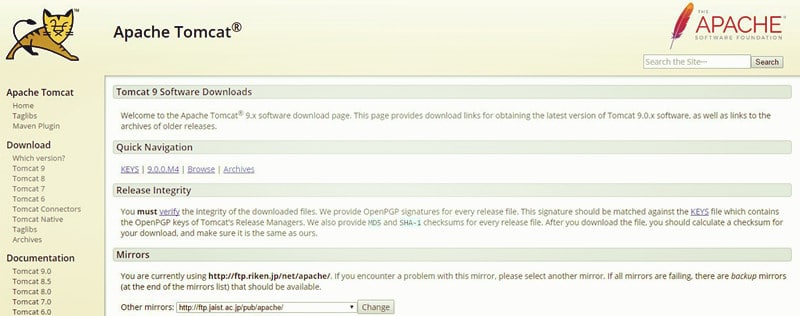
1. Download Tomcat from the official website (tomcat.apache.org), select Tar.gz format under the Core section
2. Extract the Tomcat to directory: /Library, in order to facilitate the use, rename the folder to "Tomcat"
3. Open Terminal, modify folder permissions
sudo chmod 755 /Library/Tomcat/bin/*.sh
4. Press the Enter key, then you will be prompted for a password, enter the administrator password. Then continue with the following command to open the tomcat service
sudo sh startup.sh
5. Open the browser and enter http://localhost:8080/, press Enter.
If you see the Apache Tomcat, this means Tomcat has successfully run
That is it! You should now be able to access Apache Tomcat’s welcome page on http://localhost:8080. If you wish to make stopping Tomcat 9, use this command:
sudo sh /Library/Tomcat/bin/shutdown.sh

Creating file with Tomcat permissions

 chown tomcat:tomcat catalina
chown tomcat:tomcat catalina.out


-----------------------
service tomcat restart
umask 0022
touch catalina
chown tomcat:tomcat catalina
touch catalina.out
chown tomcat:tomcat catalina.out


------------------------------

tail -f catalina.out

Configure Tomcat in Eclipse

Open Eclipse

Got Window>Show view > other > servers

Now configure Server tab visible at beside console tab

Click  ->   new server wizard

Select tomcat version

Next > Finish


Now Double click on Tomcat server in the server list

check radio buttion  "Use Tomcat installation" server location section

Then save the file by typing ctrl+s

Now right click on Tomcat server in the server list

Properties > Switch Location  > Apply > ok


Now right click on Tomcat server in the server list  and  Click on Start


-------------------------------------------------------------------------------------------------


Creating Web project and deploying in tomcat


New > other > web > Dynamic web project >

Project Name : MyWebapplication

Next  src > next

Context Root : My webapplication
Content directory: Webcontent  -> here .jsp, html files need to place here

check mark -> Generate web.xml deployment descriptor(web.xml)


----------------------------------------------------------------------------------------------------


window > show view >  navigator 


expand project >  webcontent > web-inf  > web.xml
click source view


Now goto

select webcontent  > new > other > web  > html file  > next  > index.html > finish


write inside body


<h3>Welcome to HTML <h3>


then save


---------------------------------------------------------------------------

select project > Run As  > Run on server > next  > finish